> ## Documentation Index
> Fetch the complete documentation index at: https://docs.magicmealkits.com/llms.txt
> Use this file to discover all available pages before exploring further.
# 서비스 성능 개선 (메모리 티어 업그레이드)
> 과부하로 매직밀키트가 느리거나 메모리가 부족할 때 사용하세요 — App Status에서 Free(256MB)에서 Basic(512MB)으로 업그레이드합니다.
매직밀키트는 Google Cloud **무료 범위** 내에서 동작하도록 설계되어 있습니다. 사용량이 많아지면
느려질 수 있는데, 메모리 티어를 **Free(256MB)** 에서 **Basic(512MB)** 으로 올리면 대개
해결됩니다.
## 이럴 때 필요해요
다음과 같은 경우 성능이 저하될 수 있습니다.
* **대량의 데이터를 자주** 처리할 때
* **여러 시나리오에서 동시에** 접속할 때
이런 경우 메모리를 **256MB에서 512MB로** 업그레이드하면 문제를 해결할 수 있습니다.
**512MB 이상**의 업그레이드가 필요하시면 [지원팀에 문의](https://open.kakao.com/me/pureugong)해
주세요 — 추가 증설은 별도로 처리됩니다.
## Basic으로 업그레이드
사용 중인 계정으로 매직밀키트에 로그인합니다.
[make.magicmealkits.com/app-status](https://make.magicmealkits.com/app-status) 로
이동합니다.
좌측 상단에서 **Service Tier** 가 **Free** 인지 확인합니다.
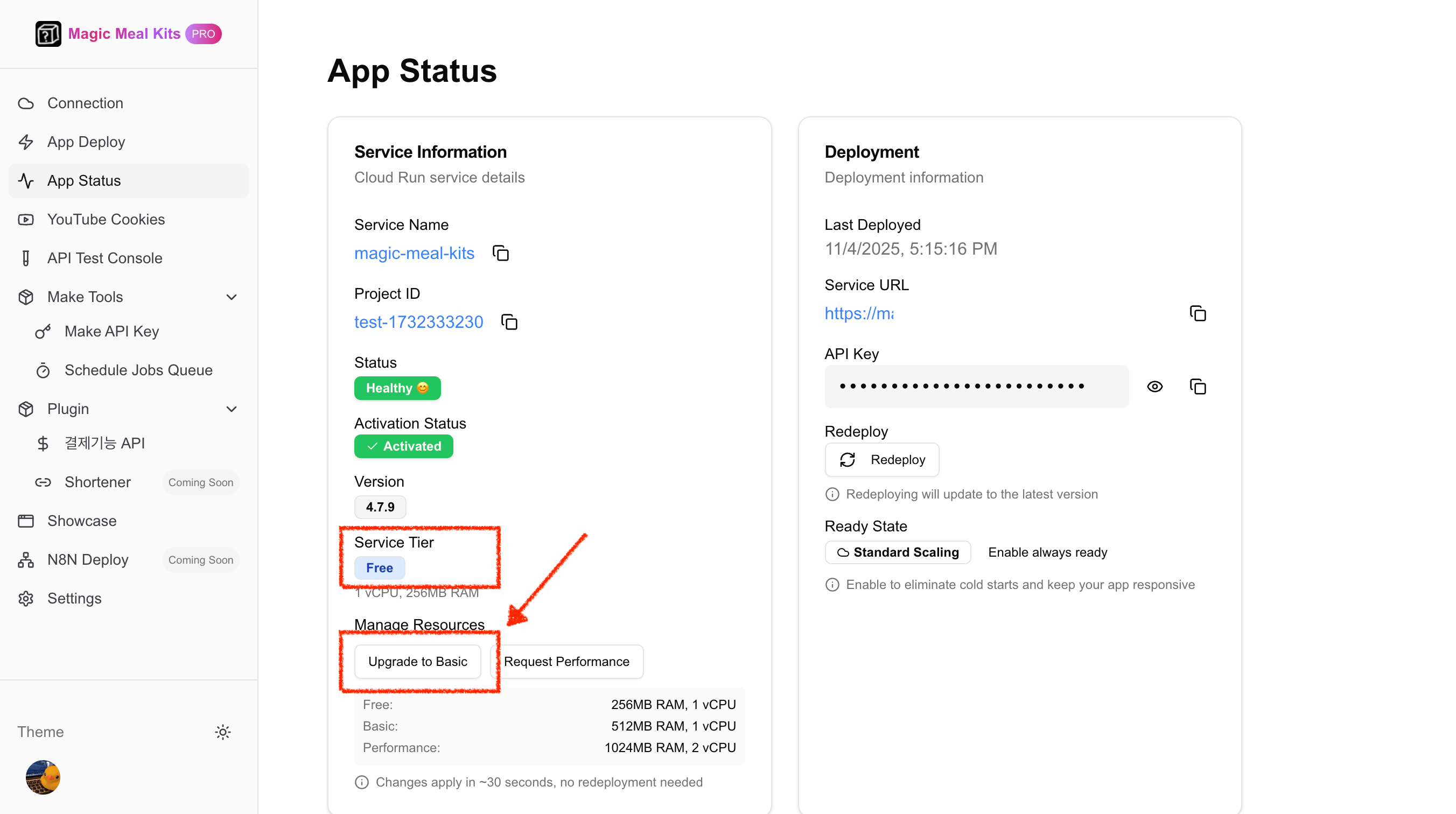 화면 아래쪽의 **Upgrade to Basic** 버튼을 클릭한 후, **Confirm Changes** 를 클릭합니다.
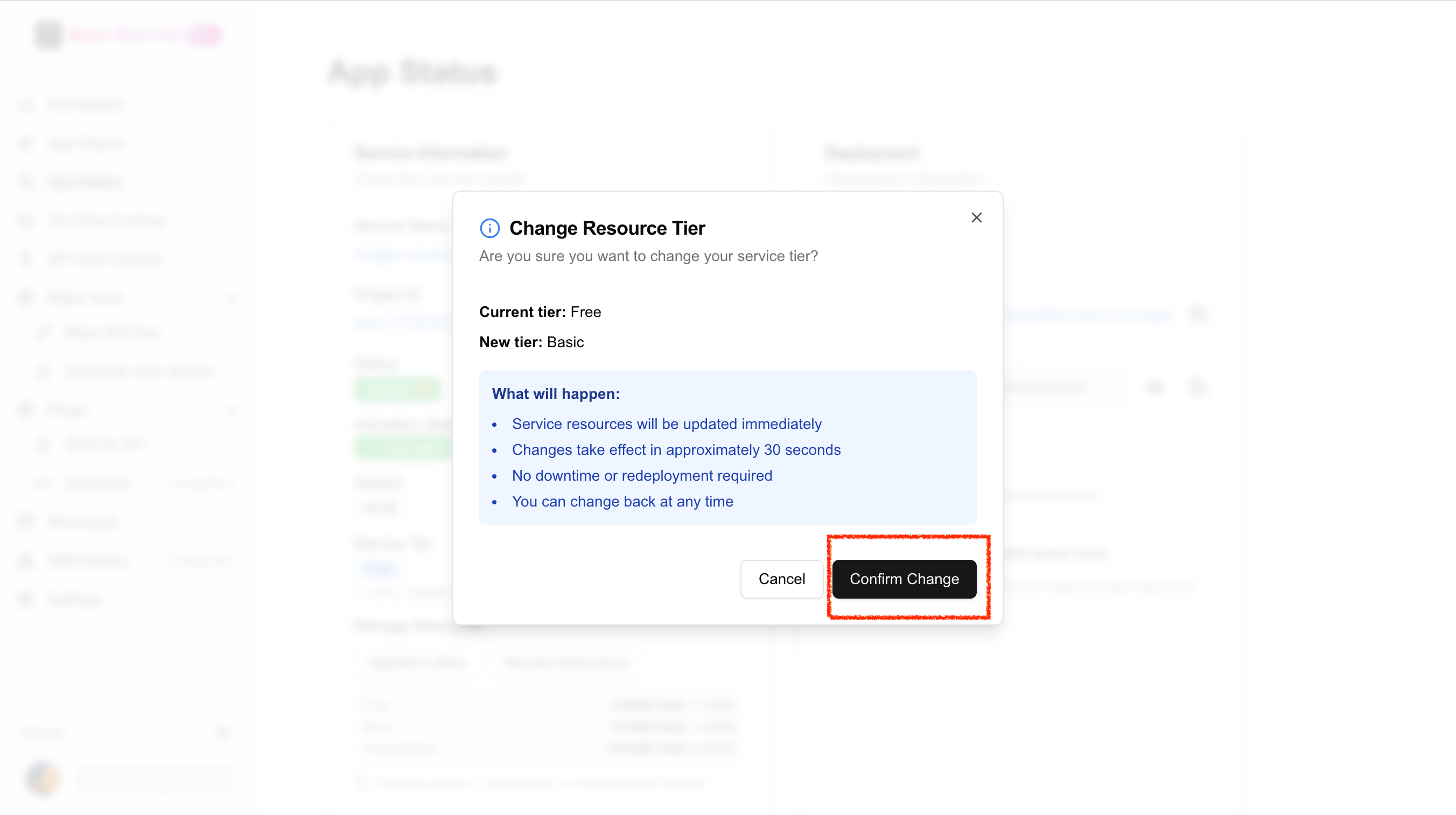 약 **30초** 정도 기다리면 메모리가 512MB로 자동 반영됩니다.
좌측 상단에서 **Service Tier** 가 **Basic** 으로 변경되었는지 확인합니다.
약 **30초** 정도 기다리면 메모리가 512MB로 자동 반영됩니다.
좌측 상단에서 **Service Tier** 가 **Basic** 으로 변경되었는지 확인합니다.
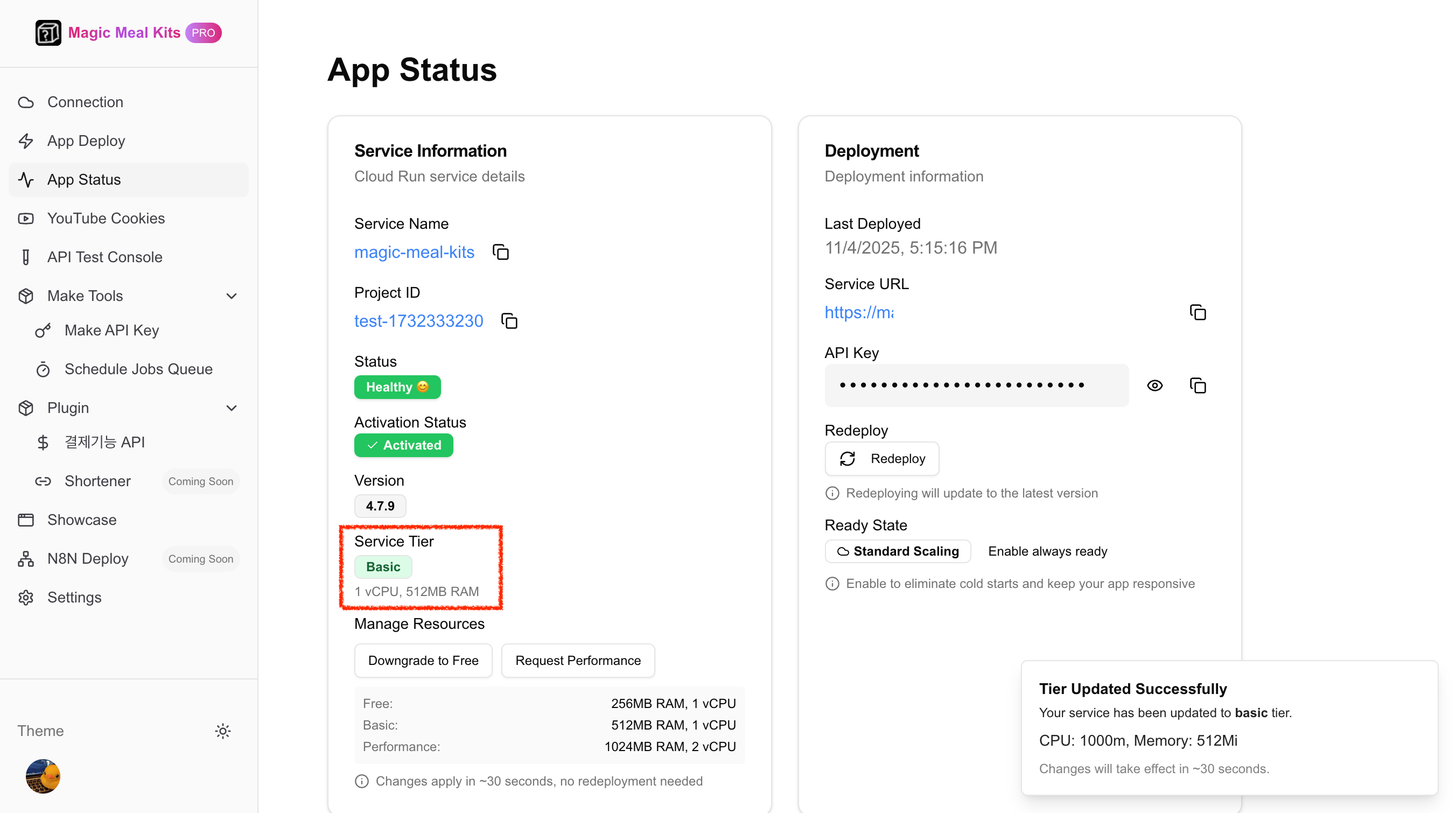 티어 이름은 [설치 시 티어](/ko/installation)와 동일합니다 — **Free** 는 1 vCPU / 256MB,
**Basic** 은 1 vCPU / 512MB 입니다. 인프라 비용은 Google Cloud에서 청구되며, Basic은 사용량과
리전에 따라 대략 **월 \~\$5** 수준입니다.
## 그래도 해결되지 않나요?
Basic으로 업그레이드한 후에도 성능 문제가 지속되면 추가 메모리가 필요할 수 있습니다. 계정
이메일과 함께 [지원팀에 문의](https://open.kakao.com/me/pureugong)해 주시고, 더 빠른 진단을
위해 [시스템 로그](/ko/operations/share-system-logs)를 첨부해 주세요.
티어 이름은 [설치 시 티어](/ko/installation)와 동일합니다 — **Free** 는 1 vCPU / 256MB,
**Basic** 은 1 vCPU / 512MB 입니다. 인프라 비용은 Google Cloud에서 청구되며, Basic은 사용량과
리전에 따라 대략 **월 \~\$5** 수준입니다.
## 그래도 해결되지 않나요?
Basic으로 업그레이드한 후에도 성능 문제가 지속되면 추가 메모리가 필요할 수 있습니다. 계정
이메일과 함께 [지원팀에 문의](https://open.kakao.com/me/pureugong)해 주시고, 더 빠른 진단을
위해 [시스템 로그](/ko/operations/share-system-logs)를 첨부해 주세요.