> ## Documentation Index
> Fetch the complete documentation index at: https://docs.magicmealkits.com/llms.txt
> Use this file to discover all available pages before exploring further.
# Fix persistent 503 errors (force re-activate)
> Use this when Make.com scenarios keep failing with 503 from Magic Meal Kits modules — force-reactivate the server from the App Status page.
When your Magic Meal Kits modules in Make repeatedly return **503**, the link between Make
and your server has dropped. Forcing the server to re-activate from **App Status** restores
it.
## When you need this
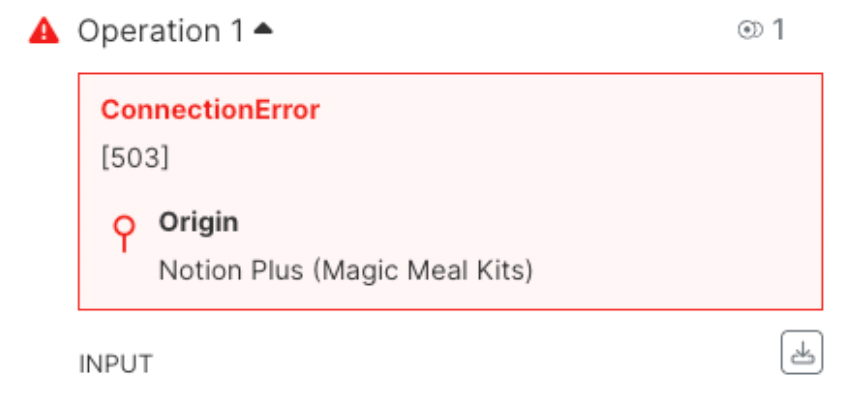
**Symptom:** A Make scenario keeps failing on a Magic Meal Kits module with a **503**
error, and retrying doesn't help — the errors repeat. This means your server is
temporarily unreachable.
 ## Fix
Go to [make.magicmealkits.com/app-status](https://make.magicmealkits.com/app-status).
## Fix
Go to [make.magicmealkits.com/app-status](https://make.magicmealkits.com/app-status).
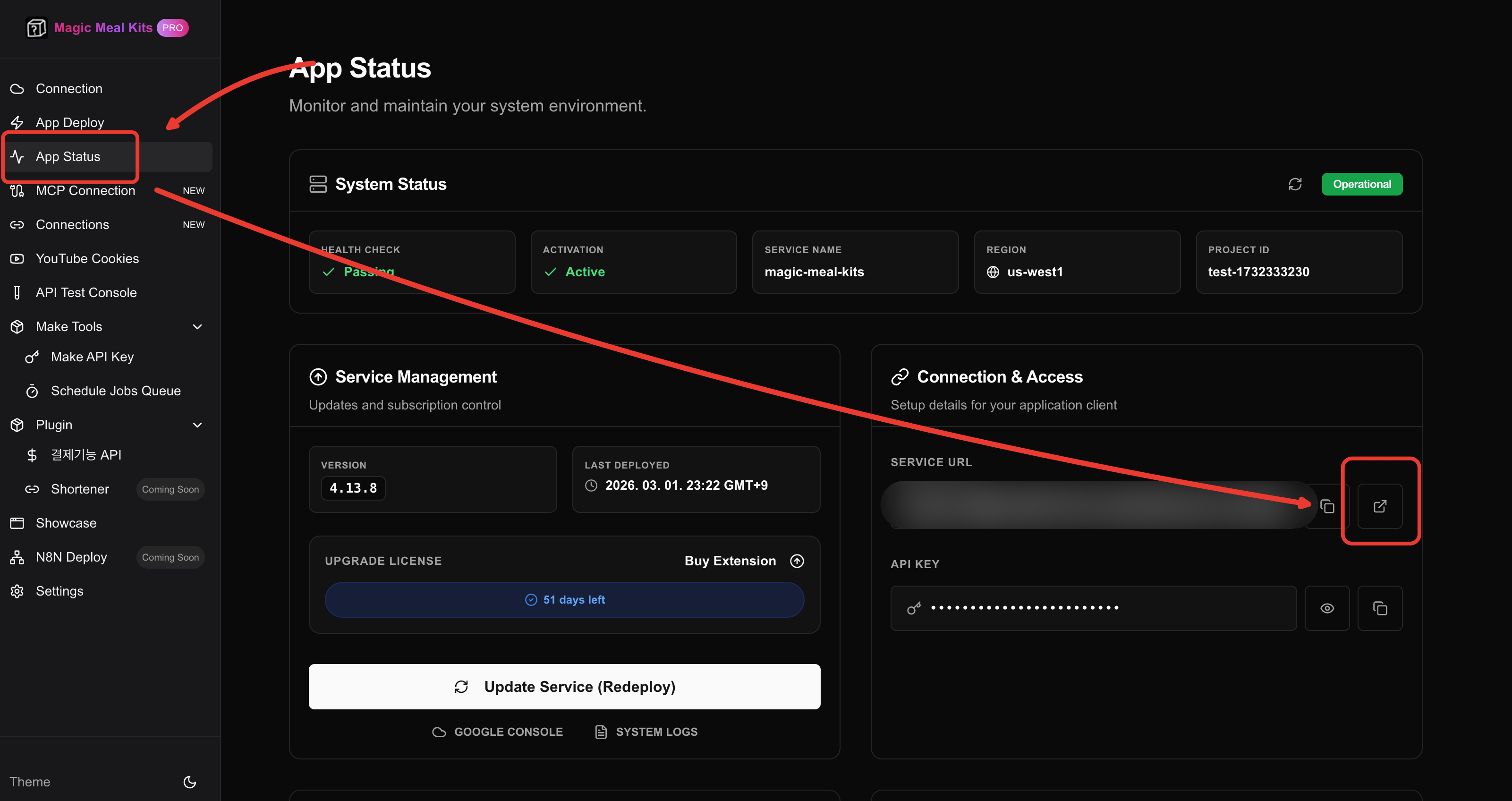 Find the **Magic Meal Kits server** entry and click it.
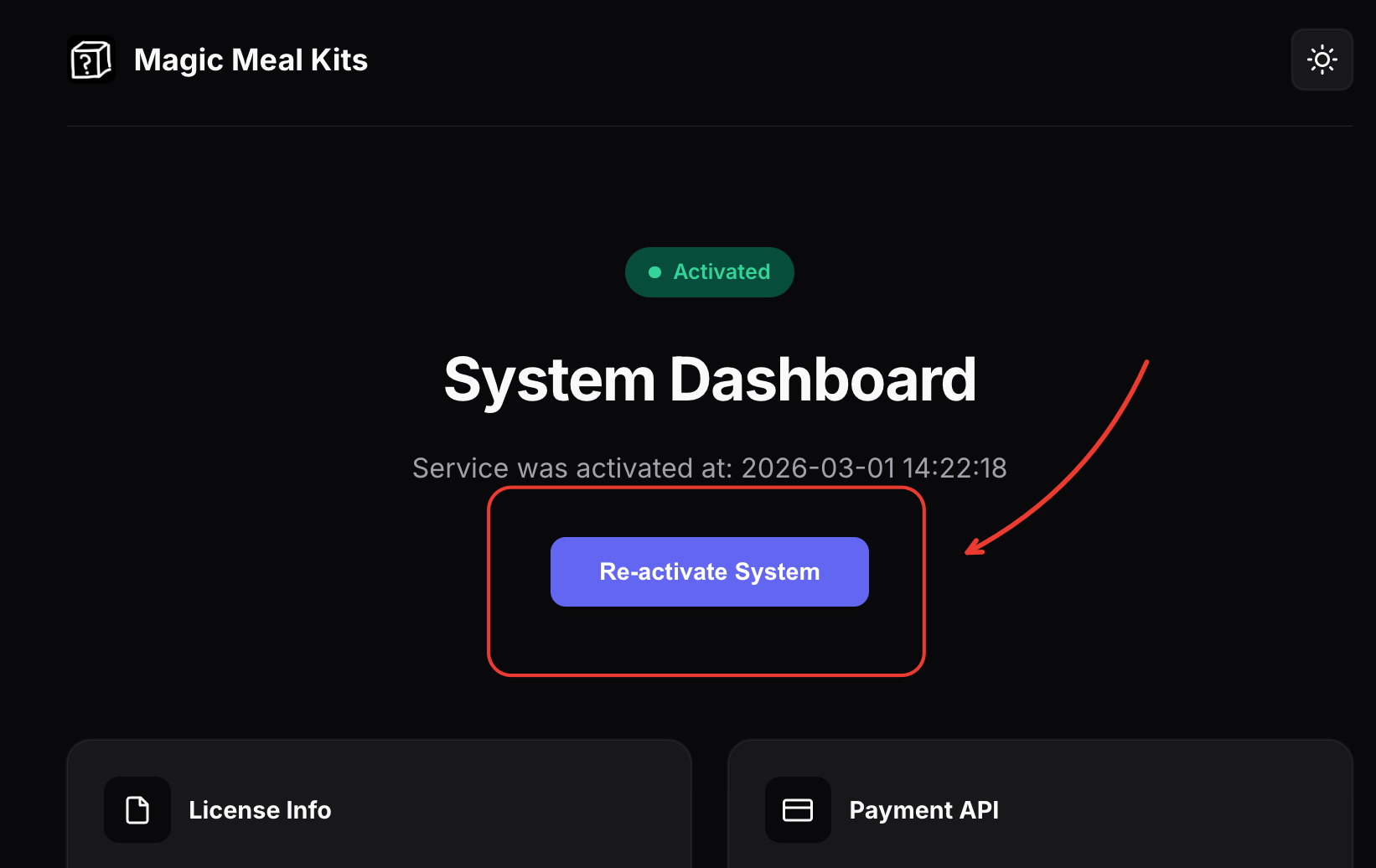 Click **Activate** to force the server connection to re-activate. This clears the 503
errors.
Click **Activate** to force the server connection to re-activate. This clears the 503
errors.
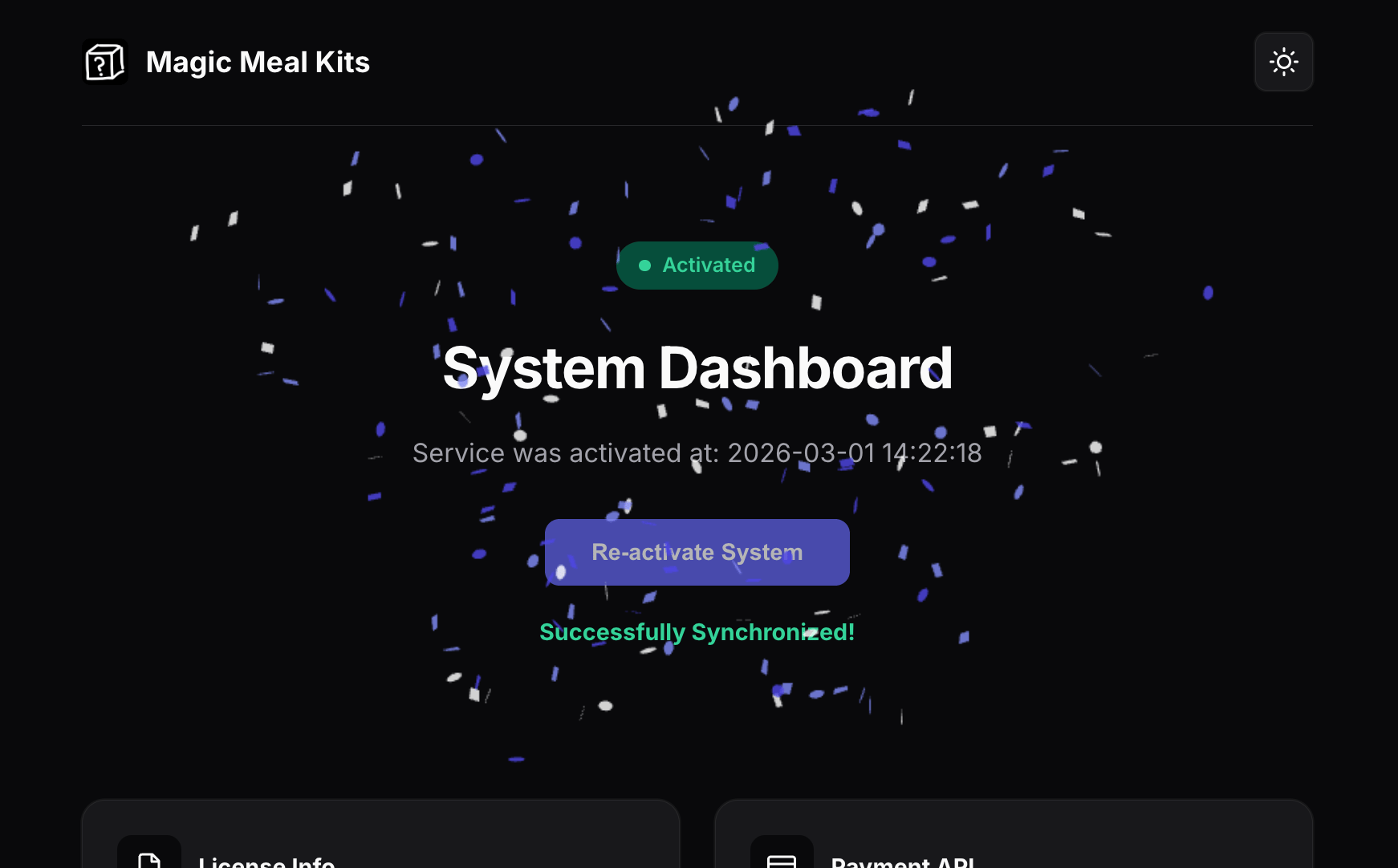 After re-activating, give it a moment and re-run your scenario. If 503s persist for more
than a few minutes, the server may still be warming up — see
[Troubleshooting](/troubleshooting) for cold-start behavior, or
[upgrade the memory tier](/operations/upgrade-performance) if the errors coincide with
heavy load.
## Still stuck?
If the errors continue after re-activating, contact support and include your account email
and a short description of the symptom: [Contact 푸르공 on KakaoTalk](https://open.kakao.com/me/pureugong).
For a faster diagnosis, attach your [system logs](/operations/share-system-logs).
After re-activating, give it a moment and re-run your scenario. If 503s persist for more
than a few minutes, the server may still be warming up — see
[Troubleshooting](/troubleshooting) for cold-start behavior, or
[upgrade the memory tier](/operations/upgrade-performance) if the errors coincide with
heavy load.
## Still stuck?
If the errors continue after re-activating, contact support and include your account email
and a short description of the symptom: [Contact 푸르공 on KakaoTalk](https://open.kakao.com/me/pureugong).
For a faster diagnosis, attach your [system logs](/operations/share-system-logs).