> ## Documentation Index
> Fetch the complete documentation index at: https://docs.magicmealkits.com/llms.txt
> Use this file to discover all available pages before exploring further.
# Upgrade performance (memory tier)
> Use this when Magic Meal Kits is slow or runs out of memory under heavy load — upgrade the server from Free (256 MB) to Basic (512 MB) from App Status.
Magic Meal Kits is designed to run within Google Cloud's **free tier**. Under heavier use
it can slow down — upgrading the memory tier from **Free (256 MB)** to **Basic (512 MB)**
usually resolves it.
## When you need this
Performance can degrade when:
* You process **large volumes of data** frequently, or
* **Multiple scenarios** hit the server at the same time.
In these cases, upgrading memory from **256 MB to 512 MB** typically fixes the slowdown.
If you need **more than 512 MB**, [contact support](https://open.kakao.com/me/pureugong) —
larger upgrades are handled separately.
## Upgrade to Basic
Sign in with the account you use for your deployment.
Go to [make.magicmealkits.com/app-status](https://make.magicmealkits.com/app-status).
In the top-left, confirm that **Service Tier** shows **Free**.
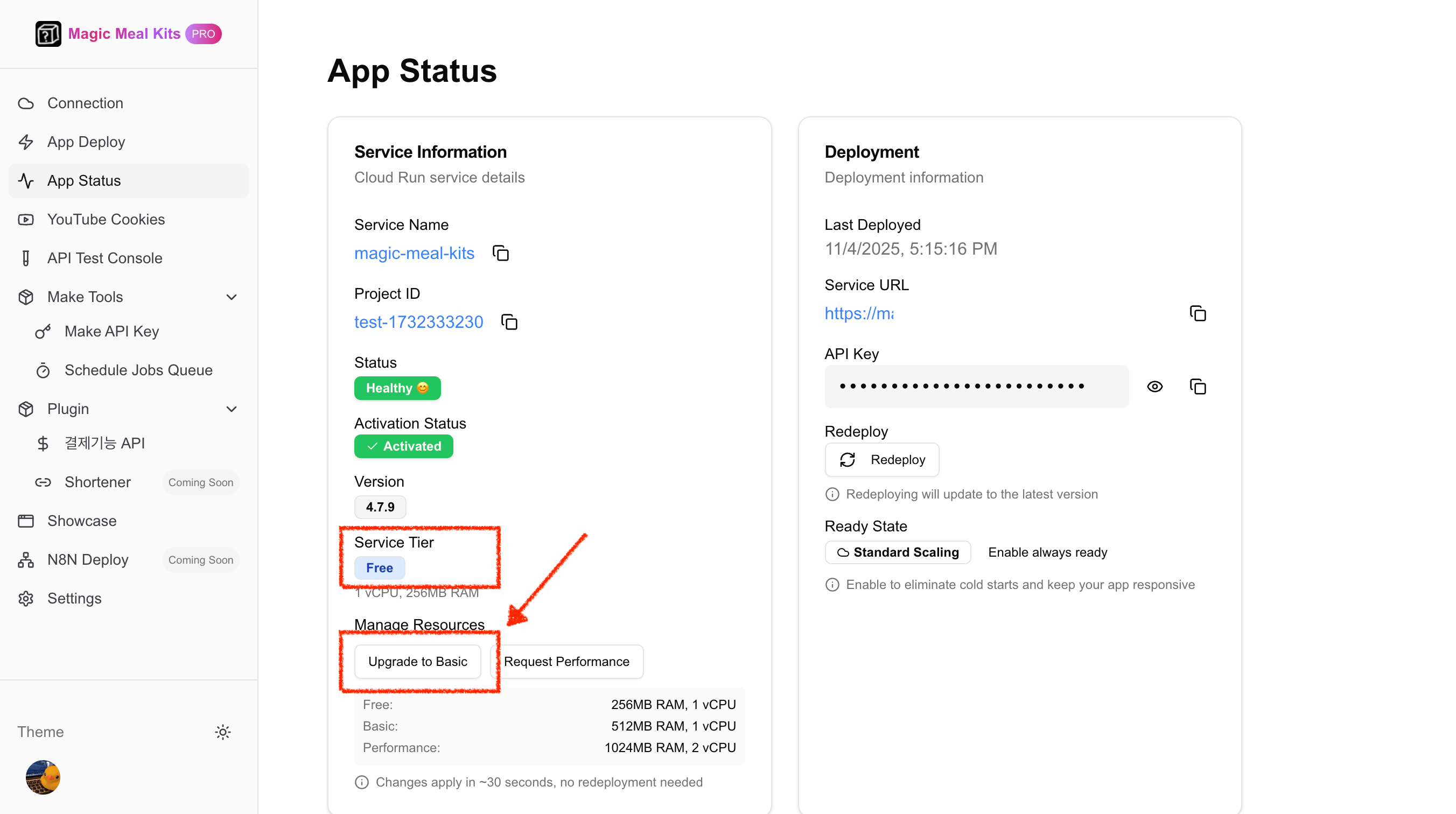 Click **Upgrade to Basic** near the bottom of the page, then click **Confirm Changes**.
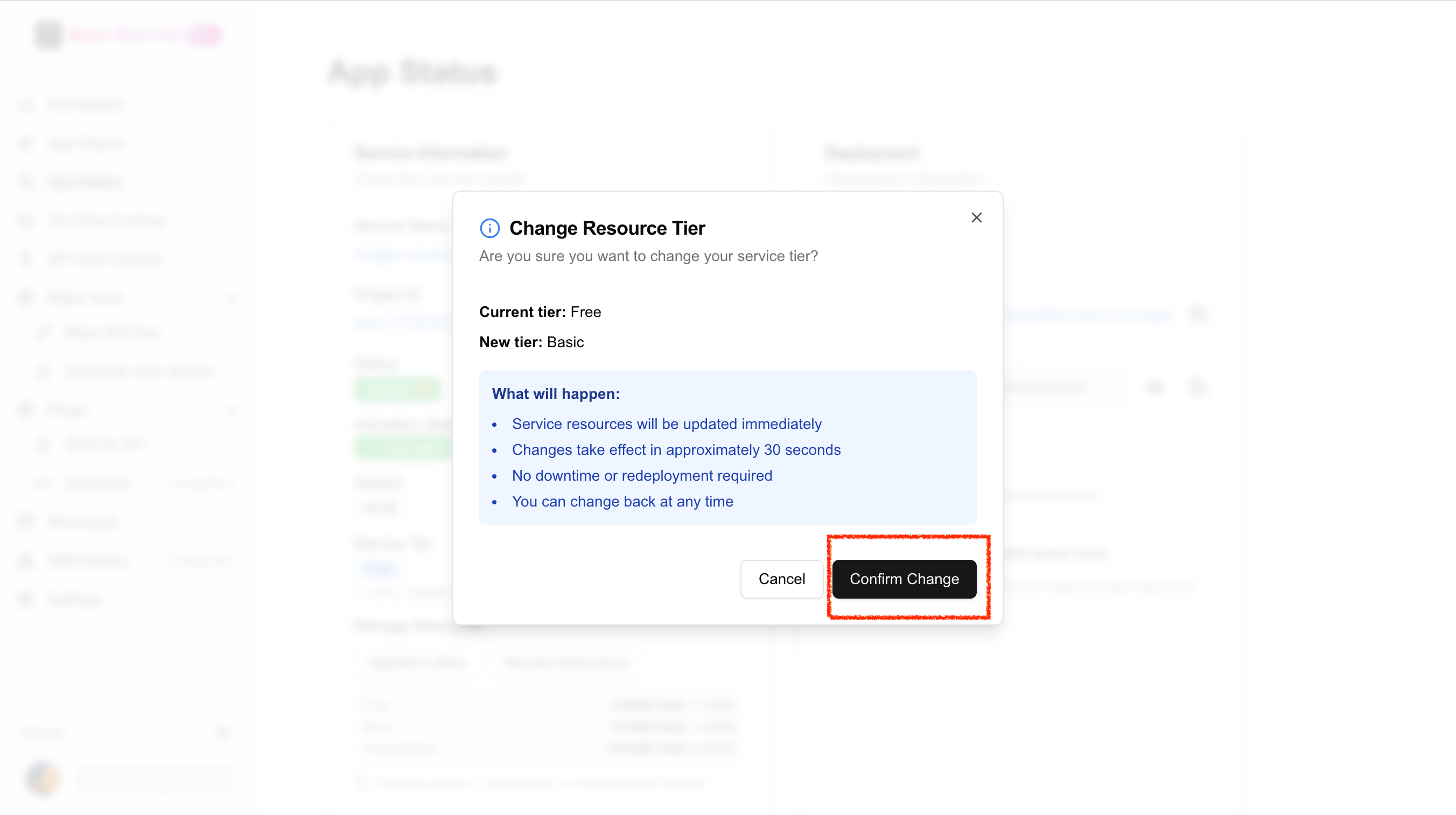 Memory is updated to 512 MB automatically in about **30 seconds**.
In the top-left, confirm that **Service Tier** now shows **Basic**.
Memory is updated to 512 MB automatically in about **30 seconds**.
In the top-left, confirm that **Service Tier** now shows **Basic**.
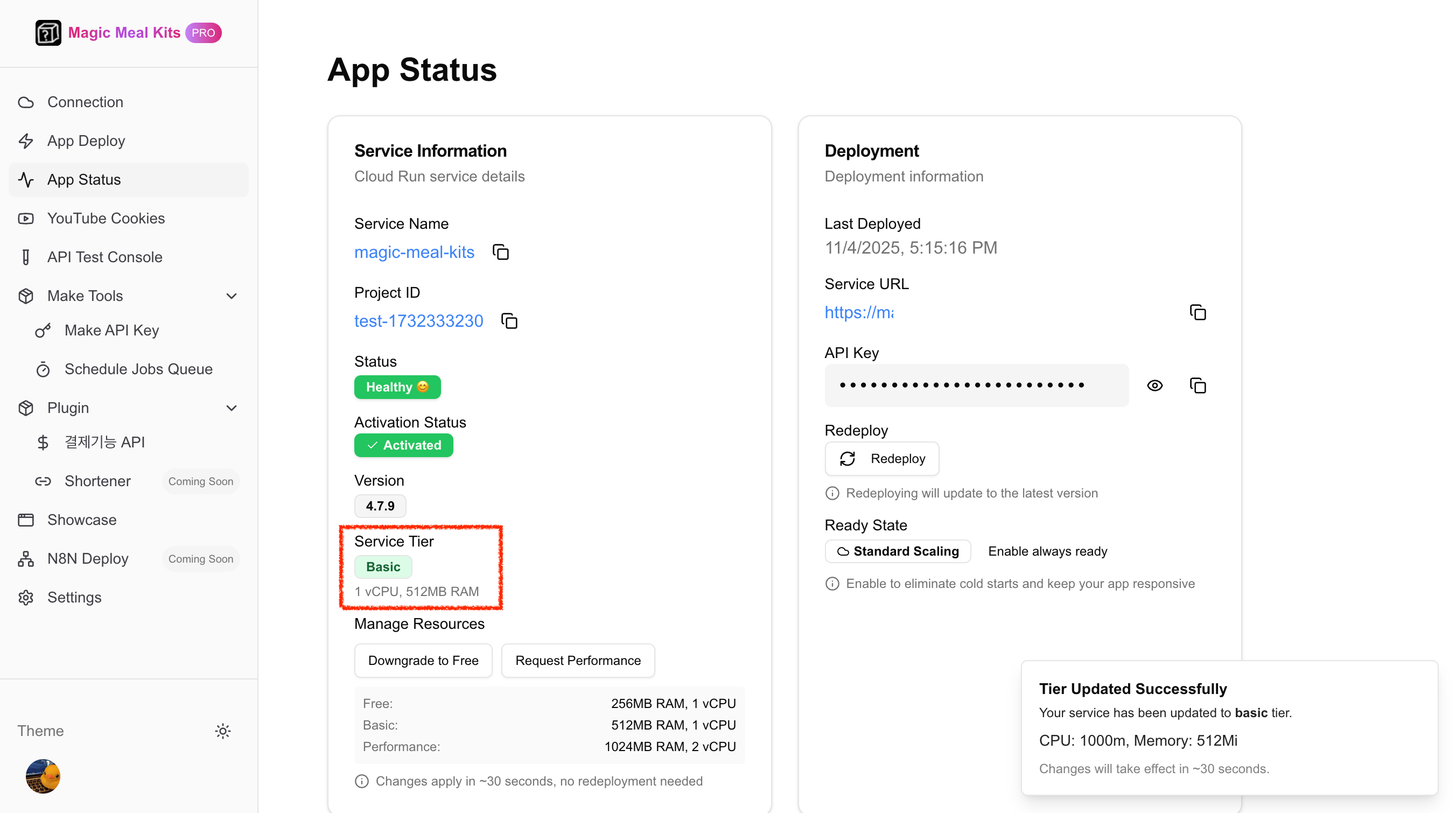 The tier names match the [installation tiers](/installation#deploy-your-server): **Free**
is 1 vCPU / 256 MB and **Basic** is 1 vCPU / 512 MB. Infrastructure is billed by Google
Cloud — Basic is roughly **\~\$5/month** depending on usage and region.
## Still stuck?
If performance problems continue after upgrading to Basic, you may need more memory.
[Contact support](https://open.kakao.com/me/pureugong) with your account email — and
attach your [system logs](/operations/share-system-logs) so we can diagnose faster.
The tier names match the [installation tiers](/installation#deploy-your-server): **Free**
is 1 vCPU / 256 MB and **Basic** is 1 vCPU / 512 MB. Infrastructure is billed by Google
Cloud — Basic is roughly **\~\$5/month** depending on usage and region.
## Still stuck?
If performance problems continue after upgrading to Basic, you may need more memory.
[Contact support](https://open.kakao.com/me/pureugong) with your account email — and
attach your [system logs](/operations/share-system-logs) so we can diagnose faster.