

How to upgrade
1
Open Google Cloud Console from the app
On the Magic Meal Kits App Status screen, click Open in Google Cloud Console.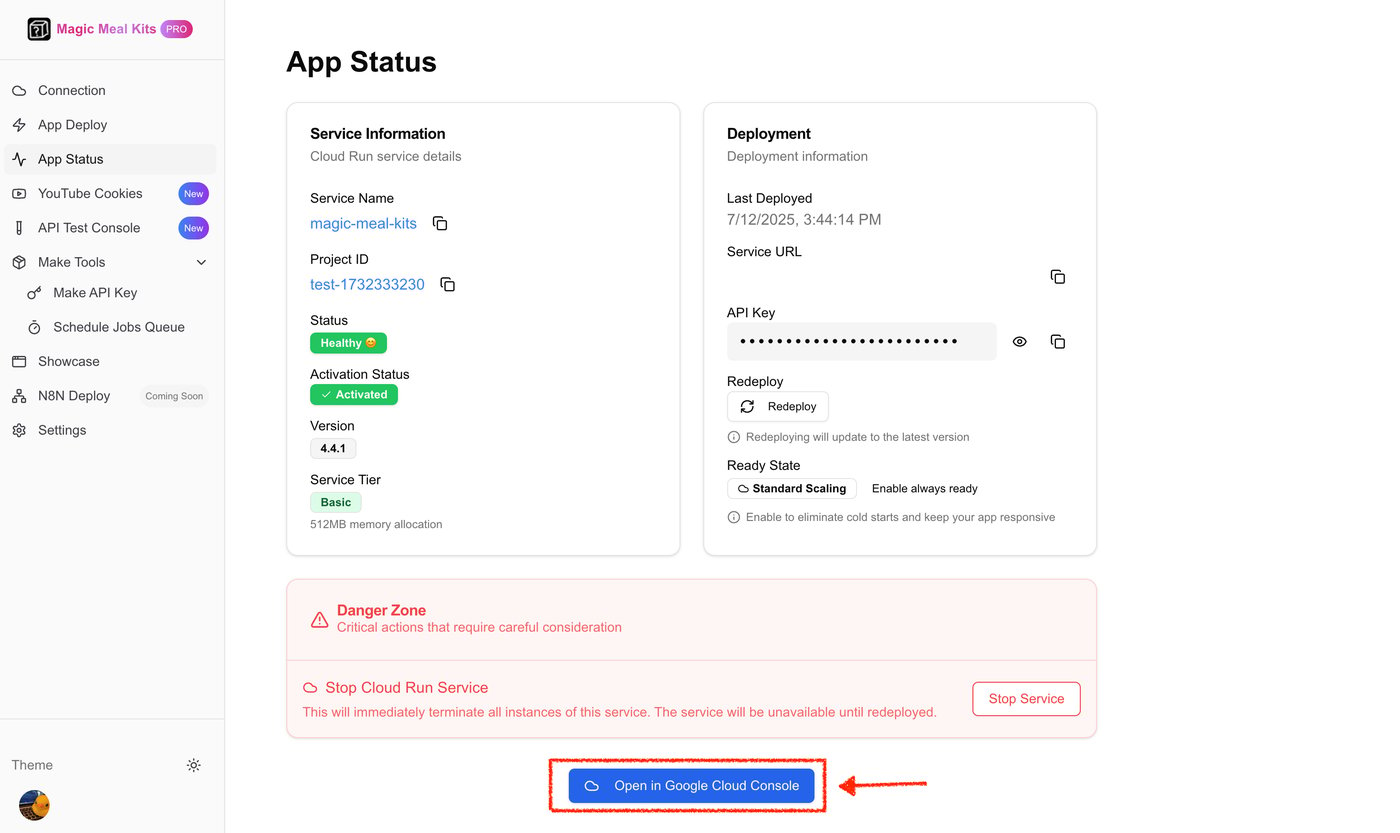
2
Find the free-trial notice banner
In Google Cloud Console, look at the notice banner across the top. A free-trial message
with an Activate (활성화) / Upgrade (업그레이드) button means you’re still on the
free trial.
3
Activate billing (upgrade)
Click Upgrade (업그레이드) / Activate (활성화) in the banner and follow the prompt
to add a billing account. Once billing is active, the project is no longer time-limited
and the server keeps running.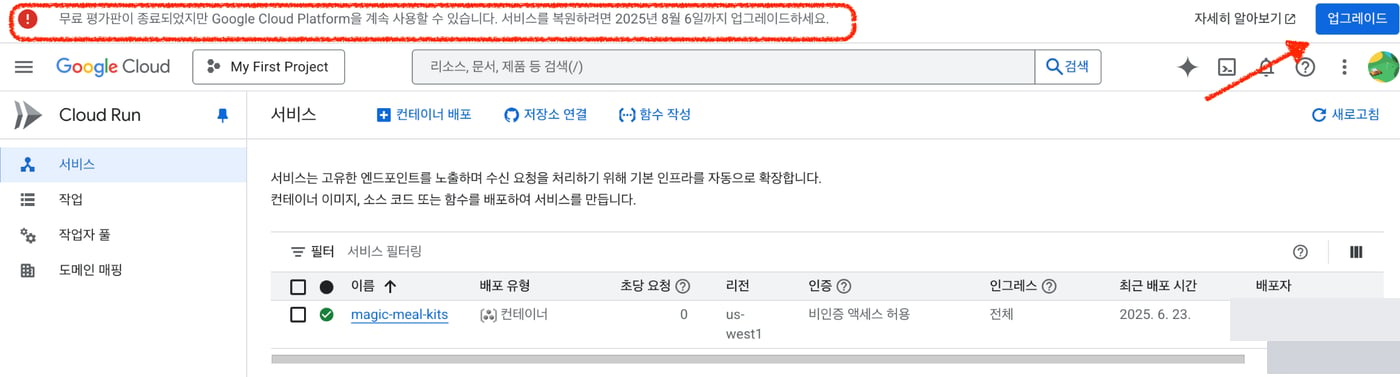
After upgrading, double-check that billing is active on your project. The installer’s
Recheck Billing step (see the installation guide) confirms it before
deploying.
Google Cloud billing
- Google Cloud is a pay-as-you-go service.
- After the free trial ends, an active billing account is required.
- If billing isn’t set up correctly, the service cannot run.
Does Google Cloud charge you?
- The service is designed to run within Google Cloud’s free usage tier.
- For normal use, you typically pay nothing extra.
- Only heavy/excessive traffic may incur a small Google Cloud charge.
Still stuck?
If the server doesn’t recover right after you activate billing, give it 20–30 minutes — cold start / propagation can return503 or 429 for a while, which is normal; don’t
redeploy repeatedly. If it still fails,
contact support with your account email.