

When you need this
Performance can degrade when:- You process large volumes of data frequently, or
- Multiple scenarios hit the server at the same time.
If you need more than 512 MB, contact support —
larger upgrades are handled separately.
Upgrade to Basic
1
Sign in to Magic Meal Kits
Sign in with the account you use for your deployment.
2
Open the App Status page
3
Check your current Service Tier
In the top-left, confirm that Service Tier shows Free.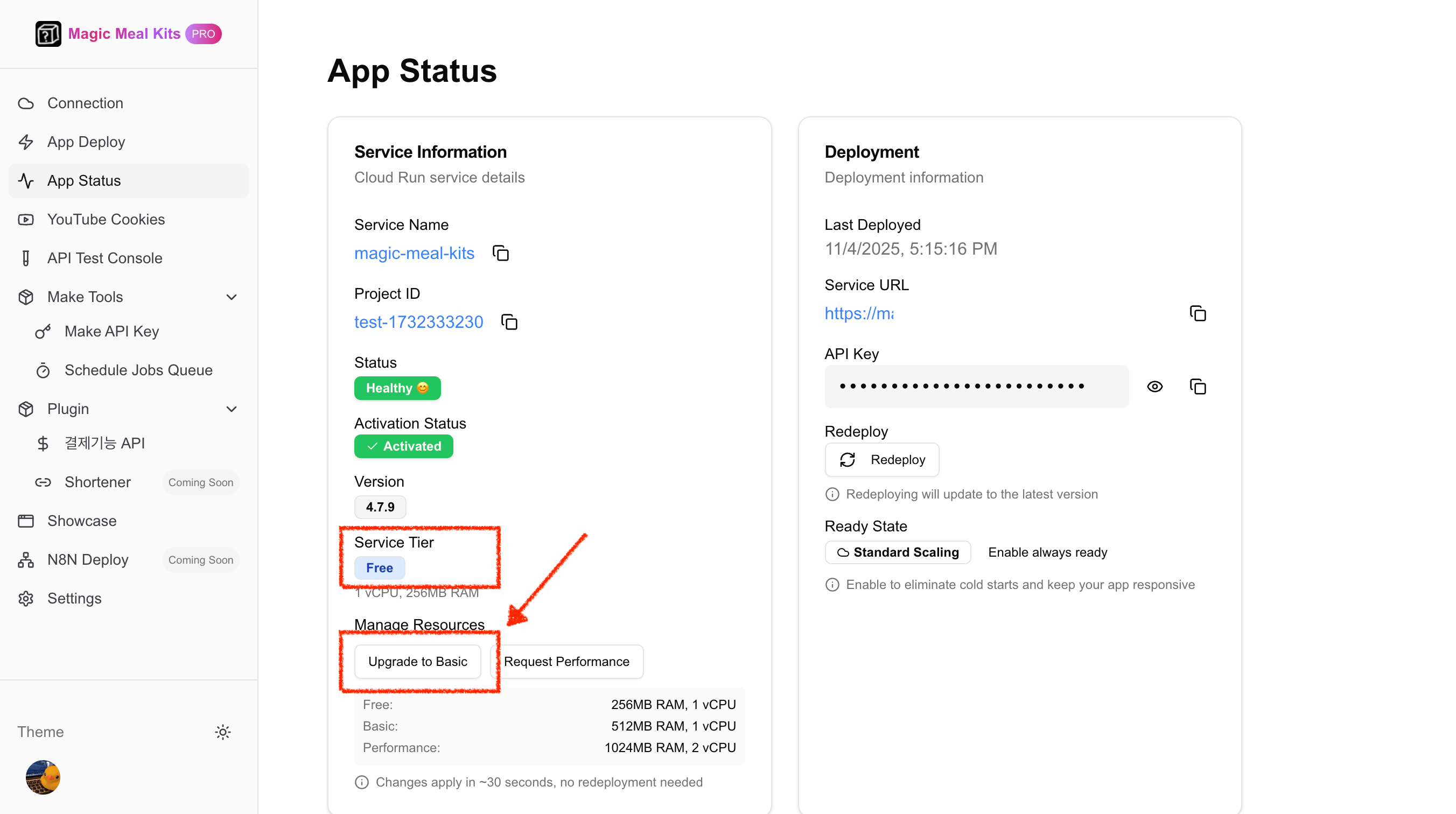
4
Upgrade to Basic
Click Upgrade to Basic near the bottom of the page, then click Confirm Changes.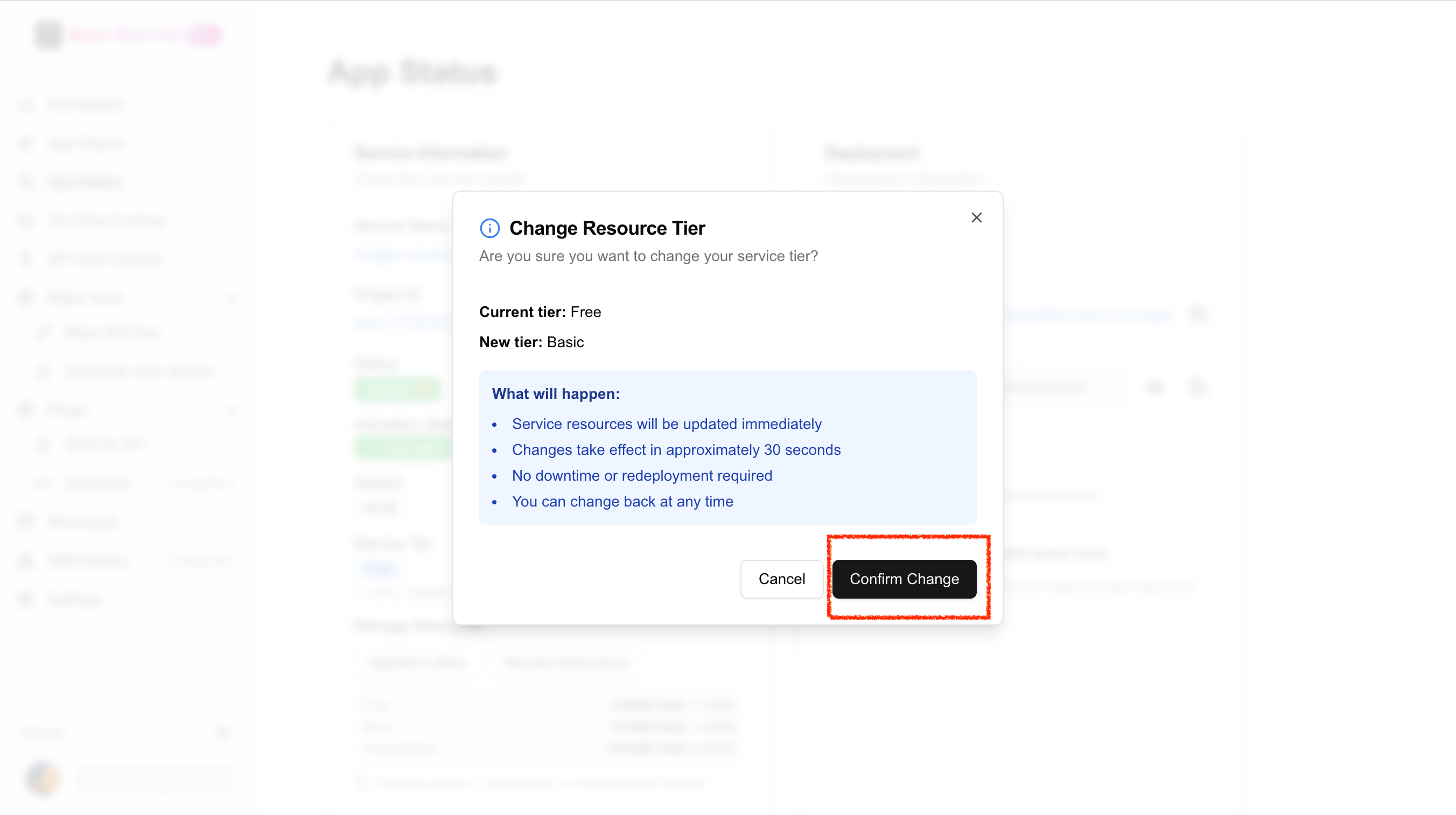
5
Wait about 30 seconds
Memory is updated to 512 MB automatically in about 30 seconds.
6
Confirm the upgrade
In the top-left, confirm that Service Tier now shows Basic.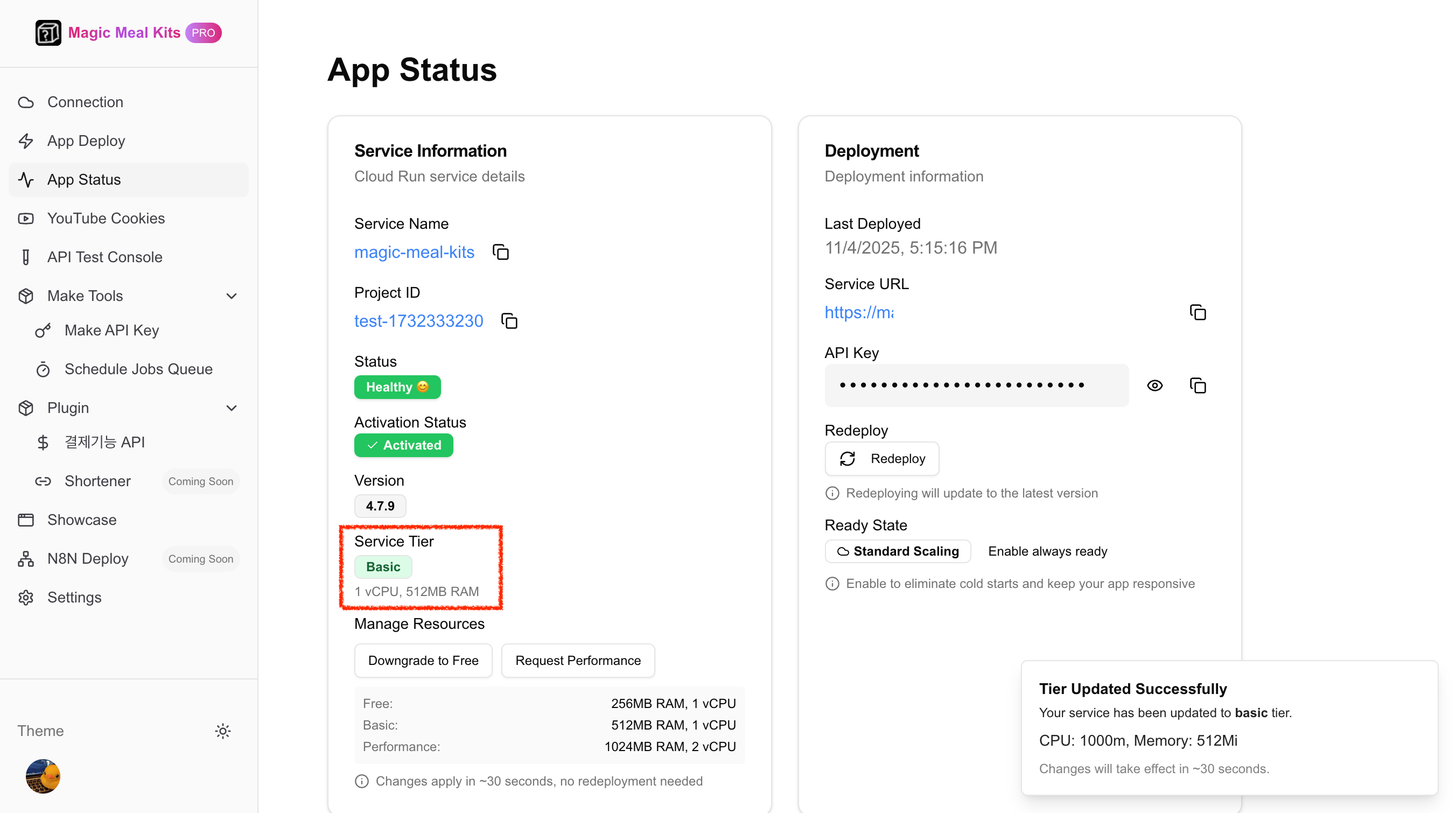
The tier names match the installation tiers: Free
is 1 vCPU / 256 MB and Basic is 1 vCPU / 512 MB. Infrastructure is billed by Google
Cloud — Basic is roughly ~$5/month depending on usage and region.